
Any cancellation or modification is strictly governed by our test center in accordance with our policy on cancellations, modifications, and refunds.  Please note that accepting these conditions was a prerequisite for your registration at the time of payment.

Please carefully follow the procedure outlined below to submit a cancellation request, change the date of your exam, adjust the selected test components, or switch to a different type of test.

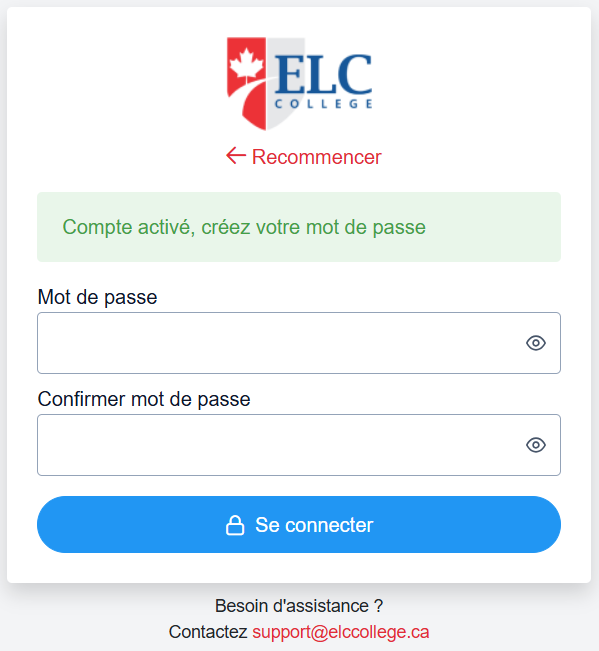
ACCOUNT CREATION OR CONNECTION:

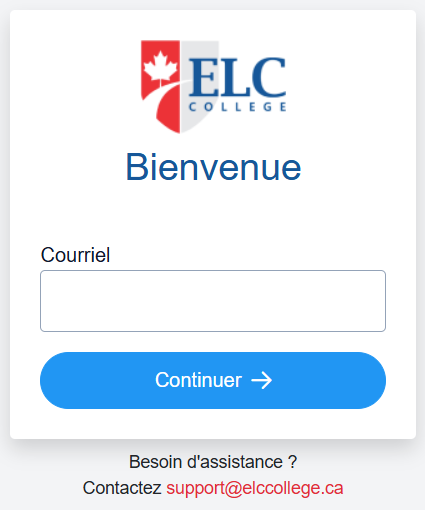
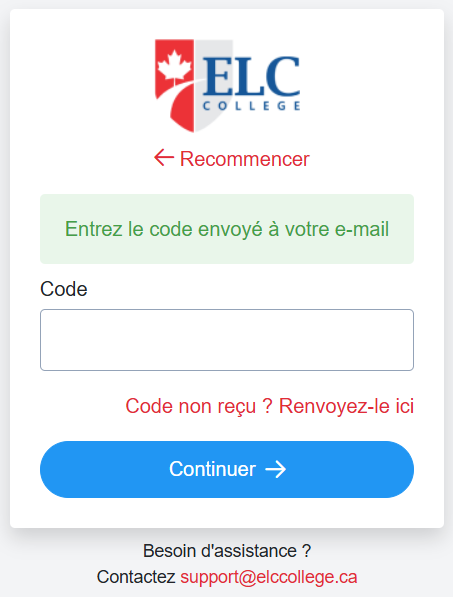
Create an account on our platform at the following address: www.dscholar.ca/elc

If you have already created an account for using the ELC Virtual training platform, please log in directly using the same credentials (email and password).

Make sure to use the same email address you provided during your registration.

Steps to Create a New Account

  1. Clic on "Pas de compte ? "
  2. No refund or change of test date will be accepted if received after the registration deadline.
  3. The candidate is responsible for bringing his own headphones or headphones.
  4. In case a candidate is not allowed to enter the exam room (for example a candidate without passport), fees will not be refunded and a new application will be required after one (1) month.
  5. Payment must be made in full at the time of registration.
  6. No refund or credit will be granted under any circumstances past the aforementioned deadlines, unless ELC College has to cancel a session of tests, in which case an alternative exam date will be offered, or a full refund will be granted.
  7. An official notification including the tests schedule and a candidate guide will be sent by email to the candidate before the test.
  8. On the day of the exam, candidates must be available all day (10 am - 9 pm).

To assist you in this process, we have included explanatory screenshots below.
Images
Images
Images
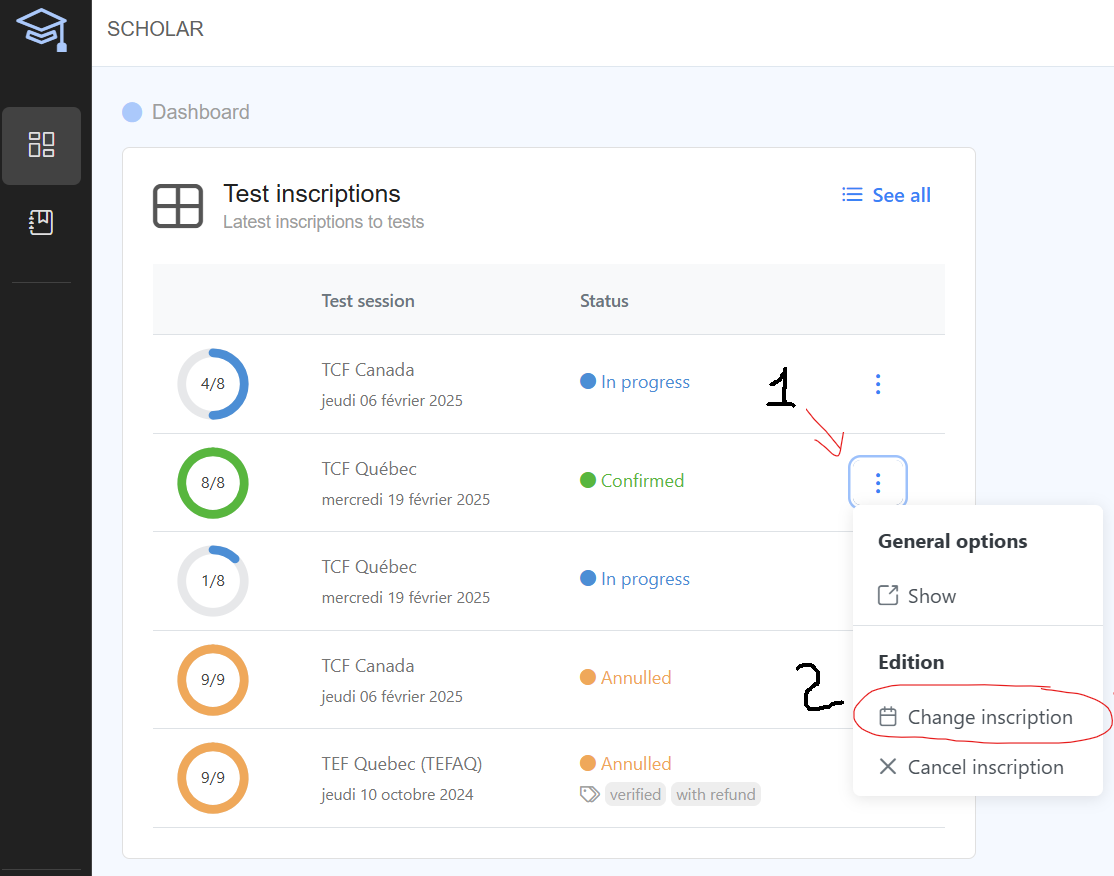
  • Log in to your account, select the registration you wish to modify.
  • Select the option 'Change Registration'
  • If you cannot locate a specific registration, please note that a 'See All' button is available to display all your registrations.
  • If you cannot find a new date that suits you, you can request a cancellation of your registration.

To assist you in this process, we have included explanatory screenshots below.
Video Images
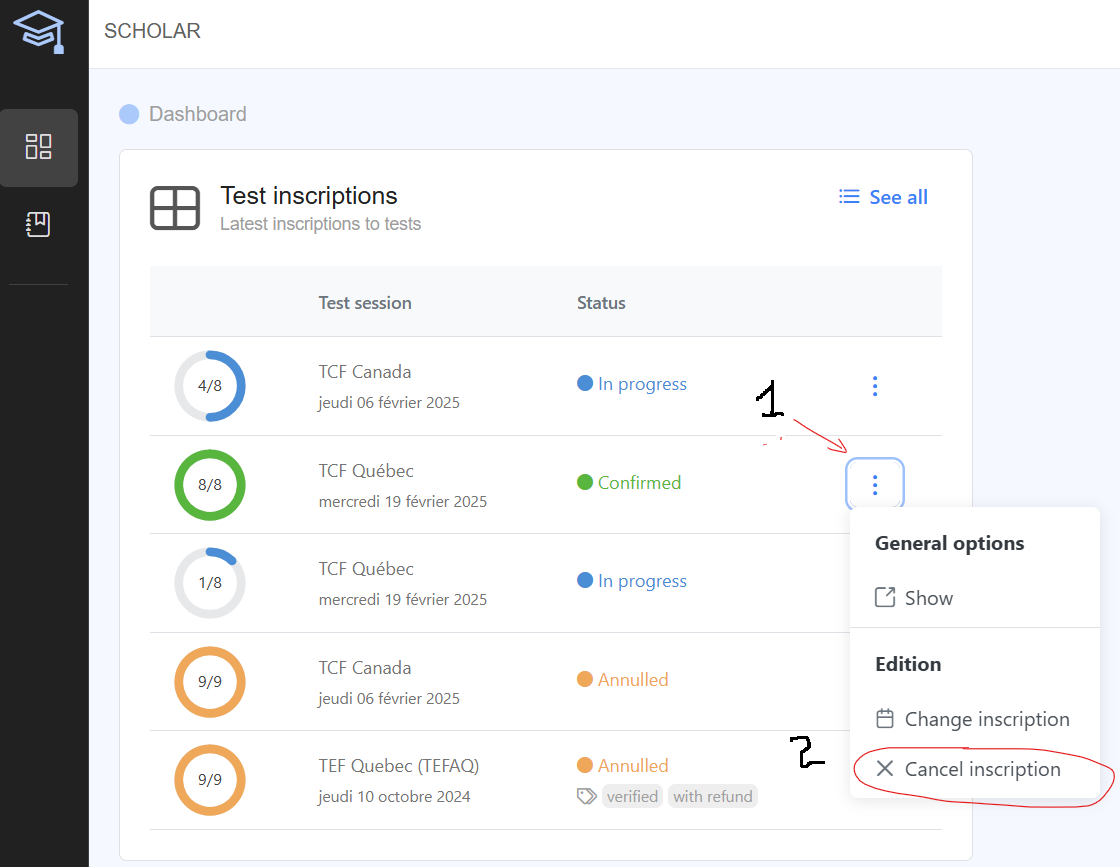
  • Log in to your account, select the registration you wish to cancel.
  • Select the option 'Cancel Registration'
  • If you cannot locate a specific registration, please note that a 'See All' button is available to display all your registrations.

To assist you in this process, we have included explanatory screenshots below.
Video Images

We recommend that you begin your procedures as soon as possible to maximize your options for modification or cancellation.


Go to DScholar for executing your change or cancellation request

Shape Images